


About Mini Golf Club
A hole in Mini Golf Club is often a choice between routes. A ramp may offer a shortcut, a wall may supply a bank shot, and an apparently clear lane may lead into sand. The objective stays familiar: finish the course with a low stroke total. Reading what happens after the first contact matters as much as lining up the opening putt.
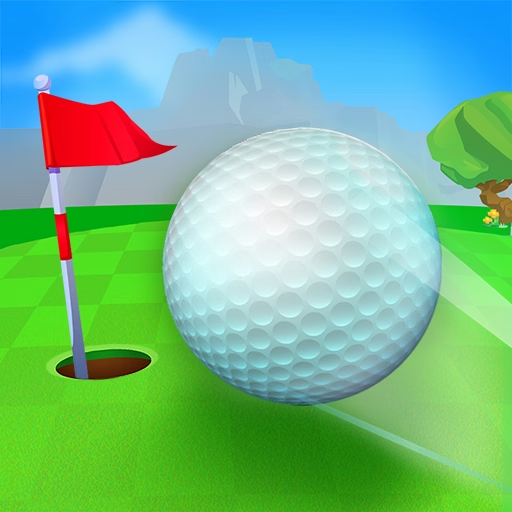
Obumo Games builds that challenge around obstacle courses and online competition. You can play against other golfers or arrange a private game, while changing layouts introduce boosters, jumps, and moving barriers. The camera is useful here: looking around the course before shooting can reveal a safer approach or explain where an ambitious shortcut will land. Cosmetic choices change the appearance of your ball without replacing the need for a good route.
How to Play Mini Golf Club
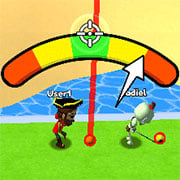
Drag from the ball to prepare direction and power, then release to shoot. Look around the course when the route is unclear and reach each hole while keeping the total stroke count down.
- Inspect the cup and the obstacles between it and the ball.
- Choose a direct shot, bank, or course feature that offers a workable route.
- Drag to aim and release with appropriate power.
- Play the next shot from the resulting position and complete the course.
Controls & Timing
Camera before commitment
A three-dimensional course can hide the space beyond a ramp or barrier. Move the view before preparing the stroke so that the target is a known landing, not a guess.
Course features change travel
Boosters and jump zones can carry the ball beyond an ordinary putt. Plan their exit as part of the same shot.
Competitive pace
Online holes have a completion deadline. A low stroke count matters, but an unfinished route also needs attention when time is running out.
Controls
| Input | Action | When to use |
|---|---|---|
| Drag from the ball | Aim and set power. | Before a stroke. |
| Release the mouse button | Shoot along the prepared line. | When direction and strength are ready. |
| Drag away from the ball / scroll | Look around / adjust zoom. | When inspecting the course. |
High Score Tips
- Count likely recovery strokes. A shortcut that often requires two extra attempts may cost more than the regular path. Judge routes by their repeatable total, rather than their best imaginable result.
- Read the surface after a ramp. A successful jump is only half the problem if it lands in sand or behind an obstruction. Select enough power for a useful landing as well as the initial climb.
- Use the view deliberately. Rotate or zoom to answer a specific question about clearance or distance. Once that question is resolved, return to the shot instead of continuously moving the camera.
- Keep cosmetics separate from technique. A different hat, trail, or ball appearance does not solve a difficult angle. Improve the route and power choice before expecting a visual change to affect results.
Key Features
- Obumo Games courses. Three-dimensional layouts combine ordinary putting with obstacle interactions.
- Online and private play. Competition and arranged games offer different ways to approach the same course skills.
- Alternative routes. Ramps, jumps, and boosters can provide more than one path to a cup.
- Cosmetic customization. Ball appearances and accessories provide visual variety.
Frequently Asked Questions
How do I take a shot?
Start the drag on the ball, set the direction and power, then release. Dragging elsewhere is used to inspect the view, so pay attention to where the gesture begins.
What decides a good result?
Completing the course in fewer strokes is the central goal. A difficult shortcut is useful only when it improves the total rather than creating several recovery shots after a miss.
Can I play with friends?
The original game supports private rooms as well as public online play. Use the private-game options to arrange a match, then follow the room instructions shown in the game.
Are customization items stronger equipment?
The ball skins, hats, and trails described by the creator are cosmetic. Choose them for appearance, while treating shot direction, power, and route selection as the sources of improvement.
Why inspect the course with the camera?
The initial angle may conceal a landing area or the far side of an obstacle. A short inspection helps you decide where the ball should finish before committing a stroke.