
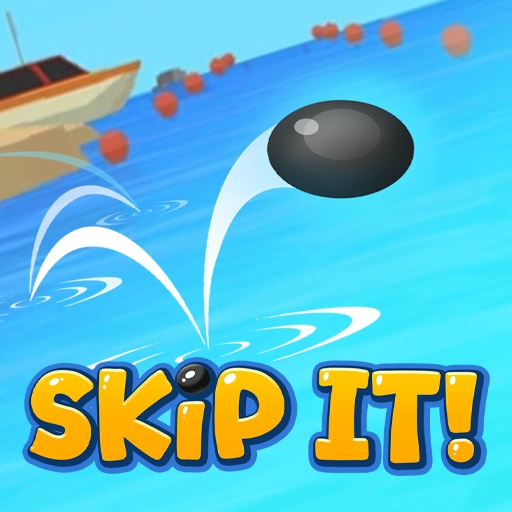

About Skip It!
Skip It! takes the simple pleasure of throwing a flat stone and turns it into a distance progression game. The opening action combines direction, power, and release timing. After that, the interesting part is how long the object can keep moving over the surface before the attempt ends.
Coins earned from distance support Strength, Speed, and Skipping, with an additional Offline earnings option in the menu. These choices give different parts of the throw room to improve. New stone appearances and unusual throwable items add variety, but the underlying challenge stays readable: make a controlled release, watch the skips, and use the result to prepare a more effective next attempt.
How to Play Skip It!
Hold and drag with the left mouse button to prepare the throw, then release. Let the stone skip across the water, collect the distance earnings, and buy an improvement before the next attempt.
- Begin the throw with a held mouse input.
- Adjust the drag to choose power and angle.
- Release and watch how the stone travels over the water.
- Collect coins and review Strength, Speed, Skipping, and Offline earnings.
Controls & Timing
The release decision
A throw includes both preparation and the moment you let go. Avoid treating dragging and releasing as an undifferentiated click, because each stage contributes to the result.
Successive water contacts
The first contact is not necessarily the end of the attempt. Skipping concerns the continuation that can turn a decent launch into a much longer distance.
An upgrade with a different purpose
Offline earnings belongs to the reward economy. It should not be evaluated as if it directly increases the force of the throw you are about to make.
Controls
| Input | Action | When to use |
|---|---|---|
| Hold left mouse button | Begin setting the throw. | Before releasing the stone. |
| Drag while holding | Adjust the throw’s power and angle. | During the aiming phase. |
| Release left mouse button | Throw the stone. | When satisfied with the setup and timing. |
High Score Tips
- Use small power adjustments. Large changes between throws make it difficult to identify the useful drag range. Keep the direction similar and change the pull gradually while learning.
- Observe when movement ends. Notice whether the stone fails to establish a useful flight or loses distance during its skips. That difference helps you choose which performance option to examine.
- Keep a repeatable release. A consistent input gives you a baseline for judging purchases. Do not attribute every unusually good bounce to the most recent upgrade.
- Review the next affordable option. Prices and the current limitation both matter. A clear reason for spending is more useful than assuming one upgrade order fits every stage of progression.
Key Features
- Stone-skipping theme. Distance comes from a throw across water rather than a golf swing.
- Drag-and-release control. Preparation and release form a simple but deliberate action.
- Separate skipping development. The upgrade menu distinguishes rebound continuation from initial force.
- Throwable appearances. Progress adds new looks and unusual items to the same distance challenge.
Frequently Asked Questions
How do I throw the stone?
Hold the left mouse button, drag to set the throw, and release. Keep those stages separate while learning so that you can tell whether a changed result came from the angle, pull distance, or timing.
What does Skipping improve?
It supports the stone’s repeated movement over the water. A stronger opening throw is useful, but the later skips also contribute to the final distance.
What are the available upgrades?
The upgrades are Strength, Speed, Skipping, and Offline earnings. The first three concern the active attempt, while the final option concerns income rather than the physical throw.
Why did a strong throw end early?
Initial force does not explain every part of the attempt. Watch what happens when the stone reaches the water and whether its later movement continues effectively before deciding how to adjust.
Is this a jumping-rope game?
No. This version of Skip It! is the water-skipping distance game. Pages describing a rotating rope or jumping over an arm refer to a different game and do not supply controls for this version.